

Board Consents
What features does AngelList Equity provide for board consents?
Our board consent infrastructure supports two different board consent workflows:- Record Only: Upload board consents that were drafted and signed off-platform for record-keeping purposes.
- Generate & Execute: Create and use board consent templates to generate individual board consents and use the platform to complete signatures.
How can I upload a board consent that was already executed for recordkeeping?
Having all of your equity-related board consents uploaded to AngelList helps enable a number of automated checks. If a Board Consent was already fully-executed outside of the platform, you can add it by navigating to Company Settings > Board Consents and clicking Add > Upload executed consents.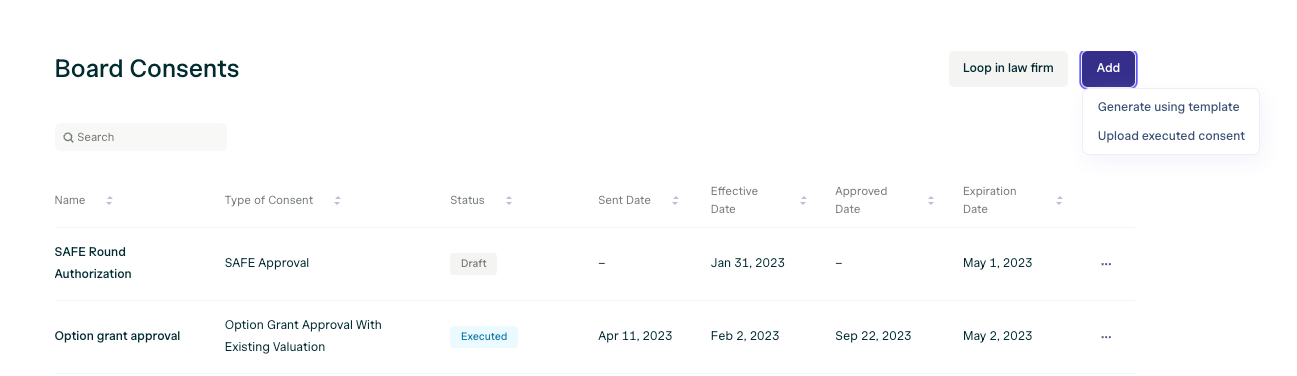
How can I generate and sign a board consent on AngelList?
If you want to generate and sign a new board consent through AngelList:- Navigate to Company Settings > Board Consents
- Make sure you’ve added relevant board members to the platform (Company Settings > Board)
- Click Add > Generate using template.
- Complete the form, using the appropriate board consent template.

Creating Board Consent Templates
In order to generate a board consent for signature using a template, you’ll need to have first created the board consent template. Instructions for creating such a template can be found here.Using Variables in Board Consent Templates
You can use both “Dynamic” and “Custom” variables in your Board Consent template. Dynamic Variables Using these variables will use values within the system to automatically populate specific corresponding variables in the board consent template based on values in the system.
Custom Variables
You can insert custom variables using any term that is not listed as a dynamic variable by using two curly brackets surrounding the variable name: {{variable}}.
Each time you use the board consent template, you will be prompted to input a value for each custom variable.
For example, if you inserted “{{SAFE_Round_size}}” as a variable in a board consent template document, you will be prompted to enter a value for that variable each time you use the board consent template.